Explore the science
How drones fly
Thrust, weight, drag and lift
A quadcopter stays airborne by accelerating air with its propellers. The air is pushed downward and the aircraft receives an upward force. This thrust must be compared with the weight of the aircraft and its payload. A force diagram makes the comparison visible: arrow direction represents force direction, and arrows drawn to one scale let students compare their magnitudes.
Thrust versus weight is a useful starting point because it separates the control input from the physical effect. Throttle changes the thrust produced in the model. The difference between thrust and weight changes the vertical motion. A hover is a particular state: the vertical forces balance and vertical speed is zero. Simply seeing equal arrows is not enough to conclude that a moving aircraft has stopped.
The next activities ask where thrust comes from and how much spare thrust is available. Where thrust comes from shows the air moving through a propeller. Can it lift off? compares available push with the aircraft weight. These are related questions, but they are not identical. Producing just enough thrust to support a load leaves less margin for changing direction or responding to disturbances than having spare thrust available.
Flying sideways introduces direction. A multirotor tips its thrust vector so that part supports its weight and part changes horizontal motion. Tilt to fly forward makes those components visible. The four forces adds drag and a broader force comparison. Find the balance point introduces another complication: a load placed away from the centre changes the turning effect the motor pairs must counter. Total weight and weight distribution therefore deserve separate attention.
Use one controlled comparison at a time. Ask students to predict the effect of a throttle change while keeping payload fixed, then repeat while changing payload. Record both the settings and what happened. A good explanation names the forces and connects them to acceleration or steady motion. After the preview, the worked examples on individual lab pages provide quantities and assumptions that students can check before trying the same case interactively.
How drones fly
Thrust, weight, drag and lift
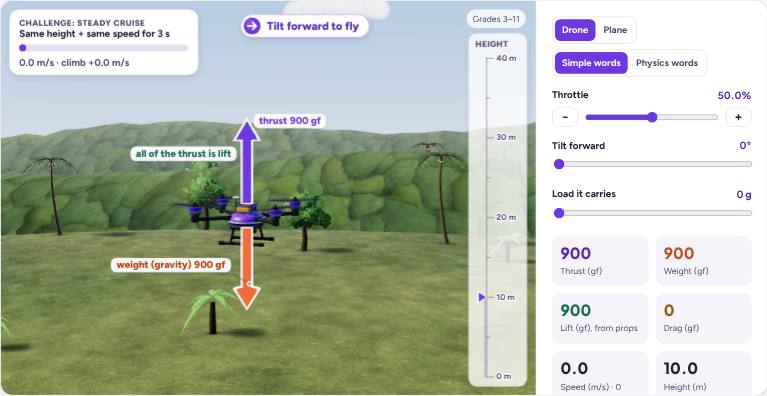
The four forces
Thrust, weight, drag and lift
Grades 3–6 · Grades 7–8 · Grades 9–11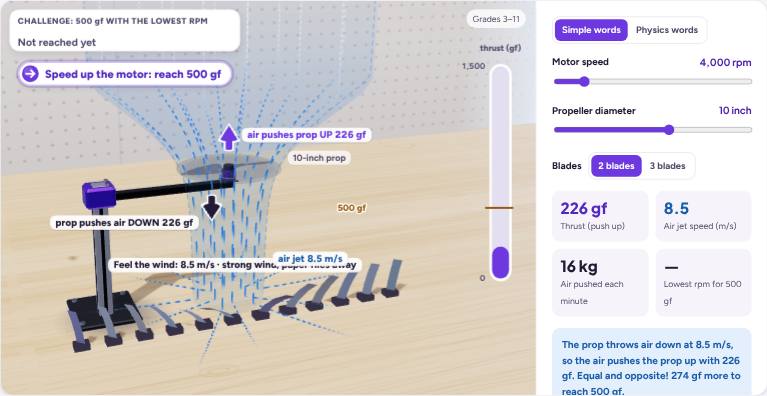
Where thrust comes from
Push air down, get pushed up
Grades 3–6 · Grades 7–8 · Grades 9–11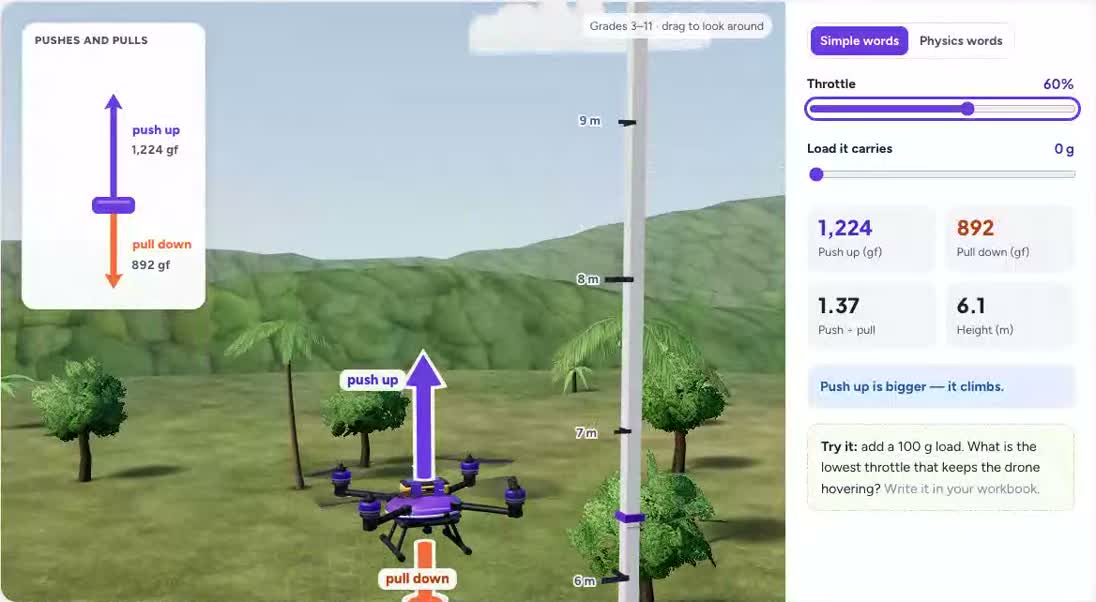
Thrust versus weight
Balanced and unbalanced forces
Grades 3–6 · Grades 7–8 · Grades 9–11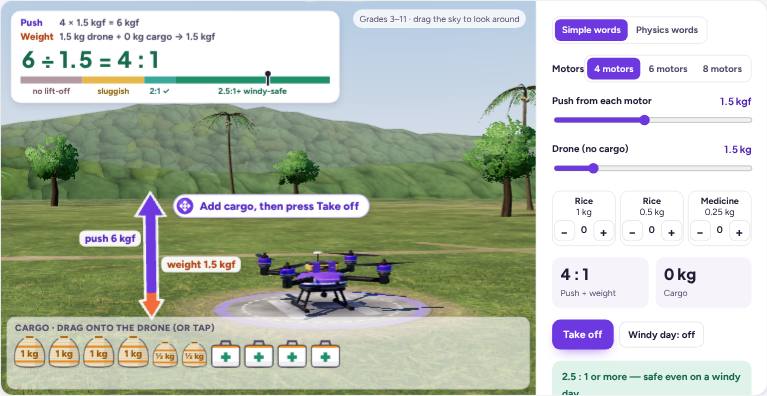
Can it lift off?
Thrust-to-weight ratio
Grades 3–6 · Grades 7–8 · Grades 9–11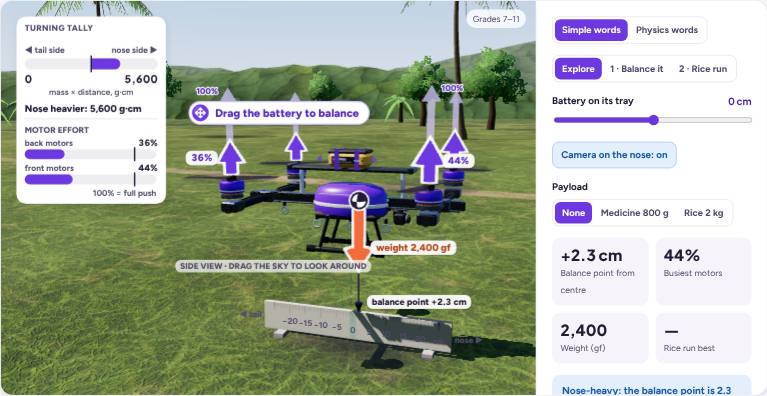
Find the balance point
Centre of gravity and moments
Grades 7–8 · Grades 9–11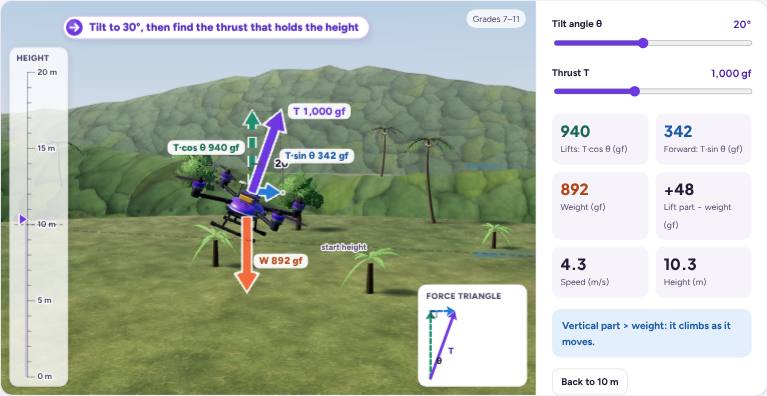
Tilt to fly forward
Force as a vector
Grades 7–8 · Grades 9–11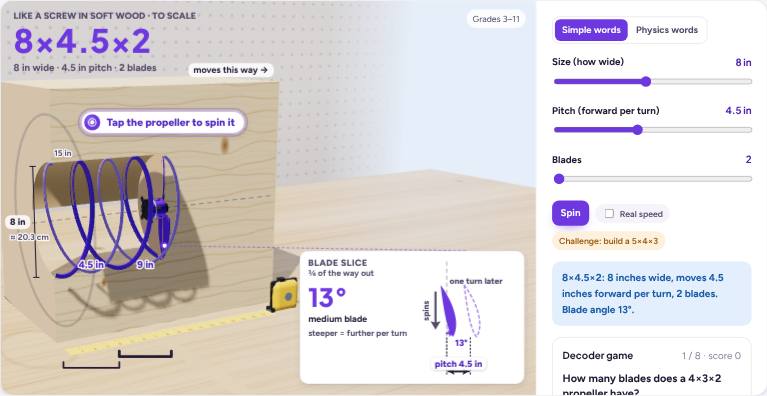
Propeller decoder
Size × pitch × blades
Grades 3–6 · Grades 7–8 · Grades 9–11Questions about how drones fly
Does a hovering drone have no forces acting on it?
No. Upward thrust and downward weight still act. Their vertical effects balance during a steady hover.
Why does a drone tilt to move forward?
Tilting gives thrust a horizontal component. The vertical component must still support the aircraft if it is to maintain height.
How teachers use the labs
Start with the public explanation and ask students to predict what will happen. Compare the preview with that prediction, then sign in to change the controls or run a program. Ask pairs to record one change and explain its effect using the science or programming concept on the page.
Run them with a class
Read the grade bands and teaching connections, choose one activity, and share its preview with students. The description is public; opening the interactive activity requires a free account.