Plan • code • fly
Loops and logic
Map a rice field with Repeat, come home when the battery is low (if), patrol a fence with a while loop and a lap counter, then write a function for survey strips.
Begin with Simple steps or Blocks, then move to Python, mission files and Lua as the tasks require. Each mission lists its actual language options. These exercises include real Python and Lua execution in the browser, as well as block programming.
Loops and logic
Map a rice field with Repeat, come home when the battery is low (if), patrol a fence with a while loop and a lap counter, then write a function for survey strips.
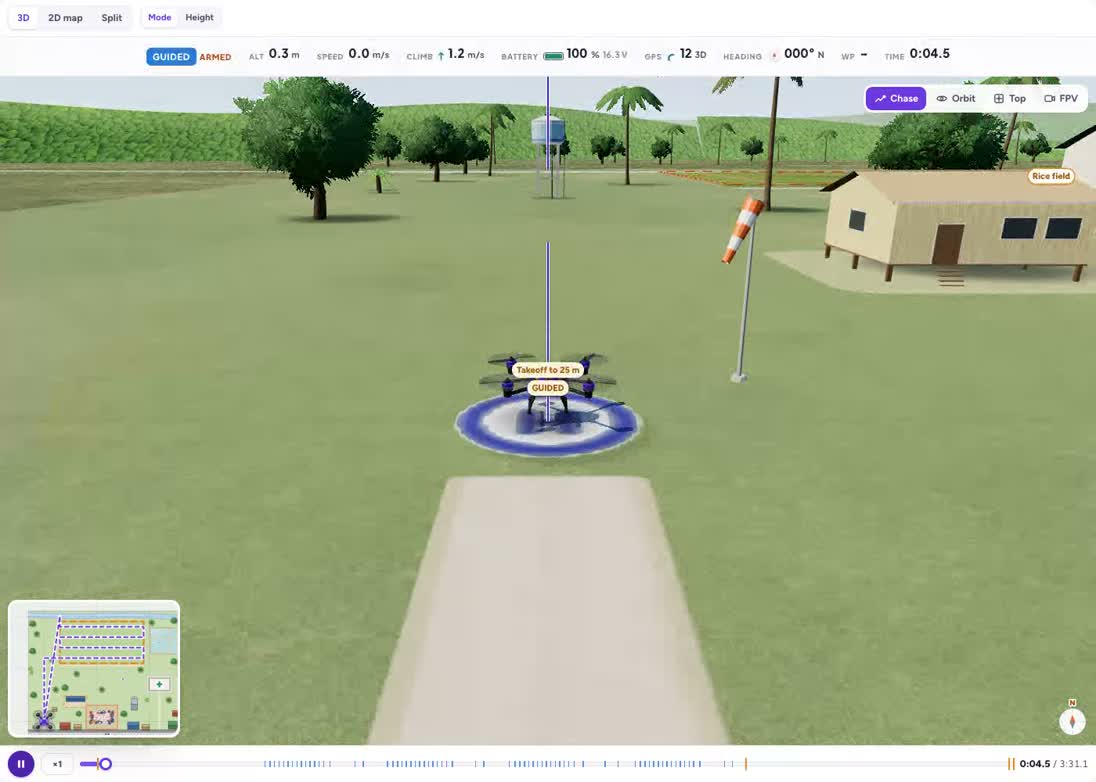
Survey the rice field
A lawnmower survey with photo-every-10-m — and Repeat to keep it short.
Grades 6–9If the battery is low, go home
Patrol the field again and again — but check the battery before every lap.
Grades 6–10Patrol the fence line
A while loop: keep patrolling as long as the battery is above 60 %.
Grades 7–10A function for a lawnmower strip
Teach the drone a new word — strip_pair — and use it three times.
Grades 7–10Concepts in this track
loops
A loop repeats a group of instructions. Its count and stopping condition determine when it finishes.
mapping
A mapping flight collects observations across an area. Reaching a few points does not necessarily cover the whole field.
overlap
Adjacent photographs need shared coverage. Flight height, camera footprint and strip spacing affect gaps between images.
conditions
An if condition chooses an action based on a value or comparison. Check both the true and false cases.
sensors
Sensor values describe the simulated aircraft and environment. Programs use them to decide what to do next.
battery
Battery state is a measurement to check during a mission. Plan a response before the remaining energy becomes too small for the task.
variables
A variable stores a value that the program can read or update, such as a lap count or target altitude.
functions
A function gives a reusable group of instructions a name and can accept inputs.
parameters
Parameters supply values to a command or function. Changing an altitude parameter changes the task without changing the command name.
How teachers use the missions
Start with the public explanation and ask students to predict what will happen. Compare the preview with that prediction, then sign in to change the controls or run a program. Ask pairs to record one change and explain its effect using the science or programming concept on the page.
Run them with a class
Read the grade bands and teaching connections, choose one activity, and share its preview with students. The description is public; opening the interactive activity requires a free account.